
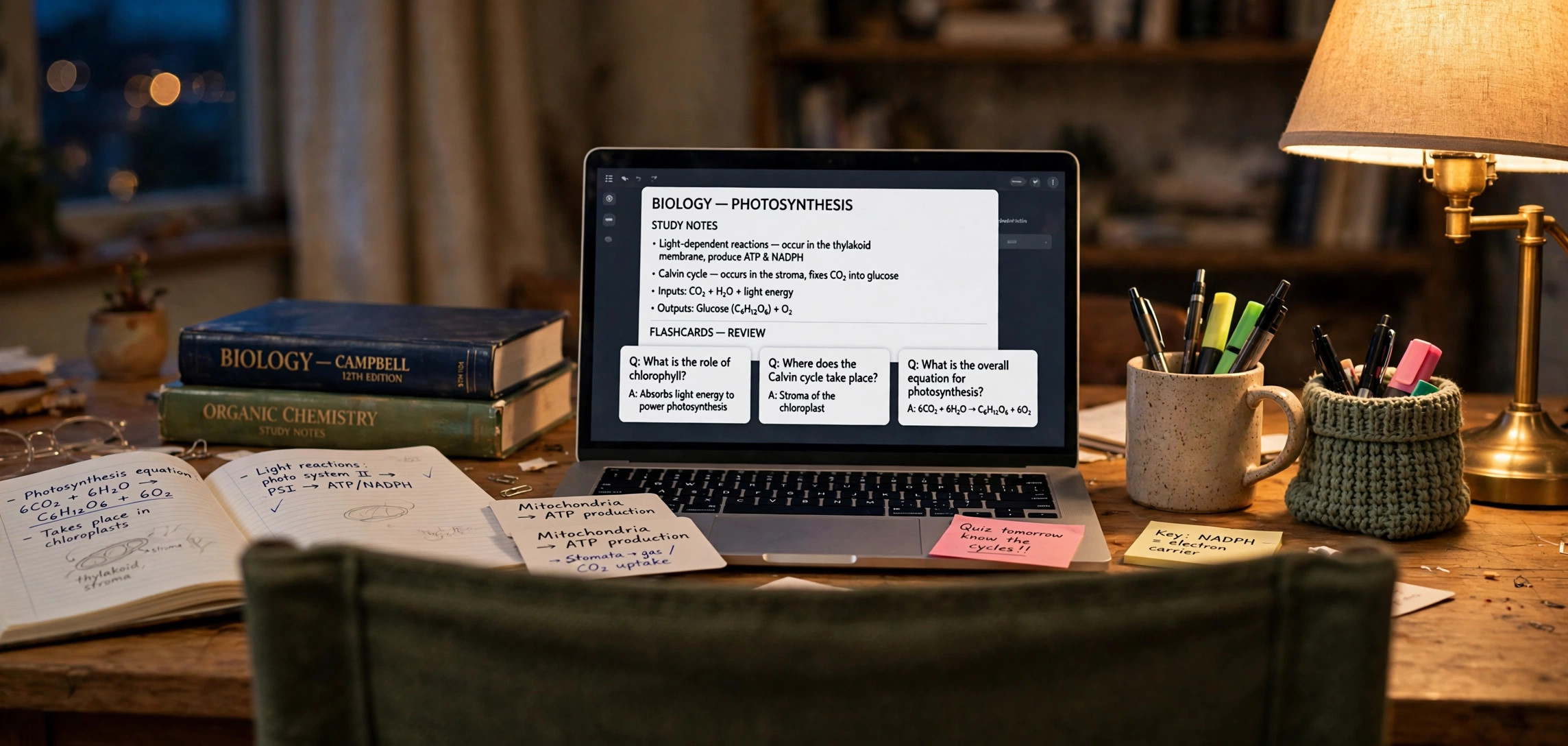
Learning how to use Gemini AI for making study notes step by step can turn hours of painful revision into a focused, efficient process. Instead of re-reading a 60-page chapter three times, you can feed your material to Gemini and get clean summaries, flashcards, practice questions, and memory aids in minutes. This beginner guide shows you exactly how — with prompt templates you can copy and a workflow that works for any subject.
Gemini is Google’s AI assistant, and it is particularly good for studying because it handles long documents, understands context across a whole chapter, and can organize information into tables, timelines, and quizzes on demand. Whether you are preparing for board exams, college finals, or a professional certification, the five steps below will change how you revise.
In This Guide
- Why Gemini Is Great for Study Notes
- How to Use Gemini AI for Study Notes: 5 Smart Steps
- Copy-Paste Prompt Templates for Every Study Task
- How to Verify Facts and Avoid AI Mistakes
- Study Techniques That Pair Perfectly With AI Notes
- Frequently Asked Questions
- Key Takeaways
Why Gemini Is Great for Study Notes
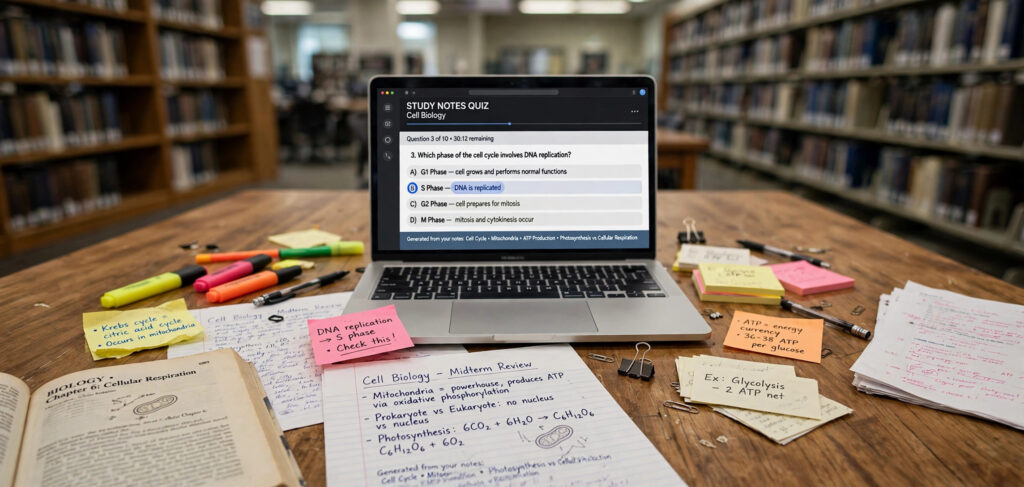 Most students study the way they were taught in school: read, highlight, re-read, hope for the best. Research on learning consistently shows that passive re-reading is one of the least effective techniques, while active recall (testing yourself) and spaced repetition are among the best. Gemini lets you convert any material into active-recall formats — flashcards, quizzes, and practice problems — in seconds.
Gemini’s practical advantages for students are specific. It accepts long inputs, so you can paste an entire chapter or upload a PDF and ask questions about it. It follows formatting instructions well, producing markdown tables, numbered lists, and structured outlines that are easy to revise from. And the free tier at gemini.google.com is generous enough for serious study sessions, with Google account integration that lets it work alongside Docs and Drive.
One honest caveat up front: AI can confidently state wrong facts, especially on niche topics, recent events, and precise numbers. Treat Gemini as a brilliant study partner who sometimes misremembers — always verify critical facts against your textbook, which the verification section below shows you how to do.
How to Use Gemini AI for Study Notes: 5 Smart Steps
Step 1: Gather and Organize Your Source Material
AI notes are only as good as the material you feed in. Collect your sources first: textbook chapters, lecture slides, class notes, and past papers. If your material is a PDF, you can upload it directly to Gemini in most cases; if it is a physical book, photograph or scan the key pages, or type up the essential sections.
Organize by topic, not by source. Create one chat or document per topic (for example, “Cell Respiration” rather than “Biology Chapter 7”), because focused context produces focused notes. Mixing five unrelated chapters in one conversation dilutes the AI’s attention and your revision later.
Step 2: Generate a Structured Summary First
Start every topic with a structured overview before diving into details. Paste your material and use a prompt like:
“Summarize the following text into structured study notes. Use clear headings, bullet points for key facts, and bold the 10 most exam-relevant terms. End with a 5-line ‘big picture’ paragraph explaining why this topic matters.”
This gives you a map of the topic. Read the summary once, highlight anything confusing, and those highlights become your questions for step 3. Never skip the summary — jumping straight to flashcards on material you do not understand builds memorization on top of confusion.
Step 3: Convert Notes Into Active Recall Formats
This is where the real learning happens. Ask Gemini to transform your summary into formats that force your brain to retrieve information:
- Flashcards: “Turn these notes into 20 flashcards in a two-column table: Question | Answer. Mix definitions, ‘why’ questions, and application questions.”
- Practice quiz: “Create a 10-question multiple-choice quiz from these notes with 4 options each. Hide the answers at the bottom so I can test myself.”
- Fill-in-the-blank: “Rewrite these notes as a paragraph with 15 key terms replaced by blanks, then provide the answer key separately.”
- Teach-back check: “I will explain this topic in my own words. Listen, then point out anything I got wrong or missed.” Then type your explanation.
The teach-back method is especially powerful. Explaining a concept in your own words exposes gaps that reading never reveals, and Gemini’s corrections are instant and specific.
Step 4: Build Memory Aids for the Hard Parts
Every subject has facts that refuse to stick — dates, formulas, classifications, sequences. Ask Gemini specifically for mnemonics:
“Create memorable mnemonics for the 7 levels of biological classification (Domain, Kingdom, Phylum, Class, Order, Family, Genus, Species). Give me 3 options: one funny sentence, one visual story, and one acronym.”
Also ask for analogies that connect abstract ideas to things you already know: “Explain entropy using a teenager’s bedroom as an analogy.” The sillier and more personal the analogy, the more memorable it is. Review these memory aids on a spaced schedule — day 1, day 3, day 7, day 14 — and they will stick.
Step 5: Create a Revision Plan and Track Progress
Finally, turn your AI-generated materials into a study schedule. Tell Gemini your exam date, daily available hours, and topic list, and ask for a week-by-week plan that prioritizes weak areas. After each practice quiz, report your score back: “I scored 6/10 on thermodynamics, mostly missing entropy questions.” Gemini can then generate targeted follow-up practice on exactly those gaps.
This feedback loop — study, test, identify gaps, drill gaps — is what separates students who use AI as a shortcut from students who use it as a coach. The tool is the same; the workflow makes the difference.
Copy-Paste Prompt Templates for Every Study Task
Good prompts make the difference between generic output and genuinely useful study material. These templates work across subjects — just replace the bracketed parts. For a deeper dive into prompt craft, see our guide on how to write better ChatGPT prompts; the same principles apply to Gemini.
Chapter Summarizer
“Act as a patient tutor. Summarize the text below for a [grade level] student preparing for [exam name]. Structure: 1) Key concepts with one-line explanations, 2) Important terms defined simply, 3) Common exam traps to avoid, 4) A 3-sentence big-picture summary. Text: [paste material]”
Exam Question Predictor
“Based on these notes, predict 10 likely exam questions a strict examiner would ask. Rank them from most to least likely, and for each, write a model answer in 5 bullet points. Notes: [paste notes]”
Concept Simplifier
“Explain [concept] as if I am 12 years old, using one everyday analogy. Then explain it again at university level in 3 sentences. End with the one formula or fact I must memorize about it.”
Comparison Table Builder
“Compare [concept A] and [concept B] in a markdown table with these rows: definition, key features, examples, common confusions. Add one memory trick to tell them apart.”
Mistake Analyzer
“Here are my answers to a practice quiz: [paste questions and your answers]. Mark each right or wrong, explain my errors simply, and create 5 new questions targeting exactly the concepts I got wrong.”
How to Verify Facts and Avoid AI Mistakes
AI hallucinations are the biggest risk in AI-assisted studying. A wrong date memorized confidently is worse than no date at all. Build verification into your workflow with these habits:
- Triangulate critical facts. Dates, formulas, definitions, and statistics get checked against your textbook or class notes before they enter your final revision set. If Gemini and your textbook disagree, the textbook wins.
- Ask for sources and reasoning. Prompt with “show your reasoning step by step” for problem-solving subjects. Watching the steps lets you catch errors in logic, not just answers.
- Be suspicious of precision. AI is most likely to hallucinate on specific numbers, recent events, and niche details. Round numbers and confident specifics deserve a second check.
- Use Gemini’s grounding. When available, ask Gemini to base answers strictly on the material you pasted: “Answer using ONLY the text I provided. If the answer is not in the text, say so.” This dramatically reduces invented details.
- Keep a corrections log. When you catch an error, note it. Patterns emerge — maybe Gemini consistently mangles one formula — and you will learn where to double-check.
Study Techniques That Pair Perfectly With AI Notes
AI generates the materials; proven techniques make them stick. Combine your Gemini notes with these methods:
- Spaced repetition: Review flashcards at increasing intervals (1 day, 3 days, 7 days, 14 days). Ask Gemini to re-shuffle and re-quiz you on old topics so nothing decays.
- Interleaving: Mix topics in one session instead of blocking them. “Quiz me with 5 questions each from thermodynamics, kinetics, and equilibrium, mixed randomly.”
- Elaborative interrogation: For every fact, ask “why is this true?” Have Gemini play skeptic: “Challenge my understanding of photosynthesis by asking me hard ‘why’ questions.”
- Visual mapping: Ask Gemini to describe a mind map or flowchart in text, then draw it yourself — the act of drawing cements the structure. You can even generate custom diagrams with Canva’s AI image generator for visual subjects like anatomy or processes.
Frequently Asked Questions
Is Gemini free for students?
Yes. Gemini’s free tier at gemini.google.com is enough for serious studying — long conversations, document uploads, and image understanding are included. Paid tiers offer higher limits and more advanced models, but most students will not hit the free limits during normal revision.
Can Gemini read my PDF textbooks?
In most cases, yes. You can upload PDFs directly into the chat and ask questions about their contents. Very large files may need to be split by chapter. For scanned PDFs where the text is actually images of pages, results vary — a clean scan works far better than a blurry phone photo.
How do I stop Gemini from giving wrong answers?
You cannot eliminate errors entirely, but you can minimize them: paste your source material and instruct Gemini to answer only from it, verify dates and formulas against your textbook, and ask it to show step-by-step reasoning for problems. Treat AI output as a first draft, not a final authority.
Is using AI for study notes cheating?
Using AI to summarize, quiz, and organize your own study materials is a study technique, not cheating — like hiring a tutor. It becomes academic dishonesty only when you submit AI-generated work as your own on graded assignments or use it during exams where it is prohibited. Check your institution’s AI policy to be sure.
Gemini vs ChatGPT for study notes — which is better?
Both work well. Gemini’s strengths are long-document handling and Google ecosystem integration (Docs, Drive); ChatGPT’s strengths are reasoning depth and a larger prompt-template community. Try the same chapter in both with identical prompts and keep whichever produces notes you actually enjoy revising from.
Key Takeaways
- Start every topic with a structured summary, then convert it into active-recall formats: flashcards, quizzes, and teach-back sessions.
- Organize chats by topic and instruct Gemini to answer only from your pasted material to cut hallucinations.
- Always verify dates, formulas, and definitions against your textbook — confident AI errors are the main risk.
- Use the copy-paste prompt templates above for summaries, exam prediction, comparisons, and mistake analysis.
- Close the loop: test yourself, report weak spots back to Gemini, and drill exactly those gaps on a spaced schedule.
Conclusion
Knowing how to use Gemini AI for making study notes step by step gives you a tireless tutor that summarizes chapters, builds quizzes, invents mnemonics, and plans your revision. The workflow is simple: organize your material by topic, generate a structured summary, convert it into active-recall formats, verify the critical facts, and drill your weak spots on a spaced schedule. Start with one chapter today, and you will wonder how you ever revised without it.