
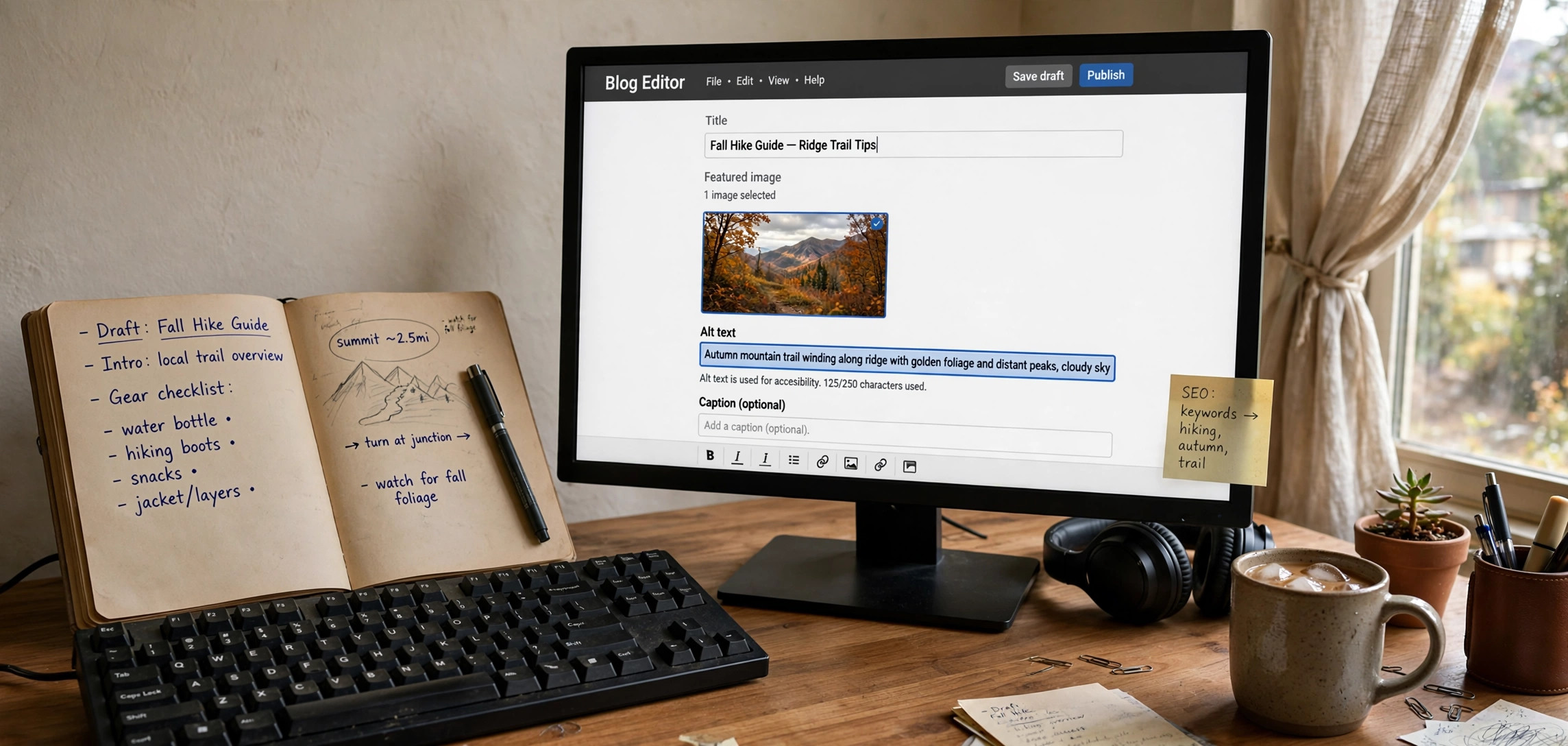
If you have ever wondered how to write alt text for images that helps both SEO and accessibility, this guide is for you. Alt text is the short description attached to an image in your HTML. Search engines read it to understand what the image shows, and screen readers read it aloud to visually impaired visitors. Writing it well takes seconds per image — and most beginners either skip it or do it badly.
Below you will find simple rules, real before-and-after examples you can copy, the most common mistakes to avoid, and how alt text fits into image SEO. By the end, you will be able to write alt text for any image confidently.
In This Guide
- What Is Alt Text (and Why It Matters)
- 7 Rules for Writing Good Alt Text
- Good vs Bad Alt Text: Real Examples
- How to Use Keywords in Alt Text for SEO
- Special Cases: Decorative Images, Links, and Complex Charts
- How to Add and Check Alt Text
- Mistakes Beginners Make
- Frequently Asked Questions
- Key Takeaways
What Is Alt Text (and Why It Matters)

Alt text (short for “alternative text”) is the value of the alt attribute on an <img> tag:
<img src="golden-retriever-puppy.jpg"
     alt="Golden retriever puppy playing with a red ball in green grass">
It matters for three reasons. Accessibility: screen readers announce alt text so blind users know what the image shows — this is a legal requirement in many countries. SEO: Google cannot “see” images reliably, so alt text is one of the strongest signals it uses to understand and rank them in image search. Fallback: if the image fails to load, the browser shows the alt text in its place.
7 Rules for Writing Good Alt Text
1. Describe the image, don’t describe the file
Write what a sighted person sees. “Woman typing on a laptop at a wooden desk near a window” works. “IMG_2049_final_v2.jpg” does not.
2. Keep it under 125 characters
Most screen readers cut off alt text around 125 characters. Be specific but concise — one or two sentences at most.
3. Be specific, not generic
“Dog” tells the reader almost nothing. “Brown dachshund sleeping on a blue couch” gives a real picture. Specificity is what makes alt text useful for both people and search engines.
4. Don’t start with “image of” or “picture of”
Screen readers already announce “image” before reading the alt text, so “image of a cat” gets read as “image, image of a cat.” Start directly with the description.
5. Include the keyword naturally — once
If the image relates to your target keyword, work it in where it fits. For a post about sourdough bread, alt="Sliced sourdough bread on a wooden cutting board" is natural. Stuffing the keyword three times is not.
6. Match the image’s purpose in context
The same photo needs different alt text in different articles. A photo of a laptop on a desk could be alt="Laptop showing a code editor with Python files open" in a programming tutorial and alt="Laptop on a standing desk in a home office" in a remote-work article. Describe what matters for the page.
7. End with punctuation
A period at the end helps screen readers pause correctly between the image and the next content. Small detail, real difference.
Good vs Bad Alt Text: Real Examples
Seeing the difference makes the rules click. Here are before-and-after rewrites:
- Bad:
alt="photo"
Good:alt="Barista pouring latte art into a ceramic cup" - Bad:
alt="graph showing sales going up"
Good:alt="Line chart showing monthly revenue rising from $12,000 in January to $31,000 in June" - Bad:
alt="best running shoes buy now cheap running shoes 2026"(keyword stuffing)
Good:alt="Pair of blue running shoes on a track at sunrise" - Bad:
alt=""on a meaningful product photo
Good:alt="Stainless steel water bottle with bamboo cap, 750 ml"
Notice the pattern: the good versions describe what is visible, stay specific, and never repeat the keyword awkwardly.
How to Use Keywords in Alt Text for SEO
Alt text is a small but real SEO lever, especially for Google Images traffic. Use it strategically:
- Featured and first images matter most. Put your best keyword-relevant alt text on the main images of the page.
- One keyword mention per image, max. Repeating the same keyword across ten images on one page looks like manipulation and adds nothing.
- Match the file name too. Rename the file before uploading —
how-to-write-alt-text-example.jpgbeatsIMG_2049.jpgas a supporting signal. - Don’t force it. If the keyword does not describe the image, leave it out. A mismatched keyword helps nobody and can confuse image search.
Alt text alone will not rank a page, but combined with descriptive file names, captions, and surrounding text, it completes the image-SEO picture. If you are writing HTML by hand, our guide to HTML semantic tags shows how to wrap images in proper <figure> markup for an extra SEO boost.
Special Cases: Decorative Images, Links, and Complex Charts
Decorative images
Background flourishes, dividers, and stock-photo filler that adds no information should have empty alt text: alt="". This tells screen readers to skip them silently instead of announcing something useless.
Images that are links
When an image is wrapped in a link, the alt text should describe where the link goes, not the image. For a logo linking home: alt="GeekyNeard home". For a “download” button image: alt="Download the free checklist PDF".
Complex images like infographics
Alt text cannot hold a whole infographic. Give a short summary in the alt attribute (“Infographic comparing the top 5 free image editors”) and put the full data in the text next to the image, or link to a page containing a full description.
Icons and buttons
Functional icons need functional alt text: alt="Search", alt="Close menu", alt="Play video". Never use the icon’s file name.
How to Add and Check Alt Text
In HTML: add the alt attribute directly on the <img> tag, as in the examples above.
In WordPress: open the Media Library, click an image, and fill in the “Alternative Text” field on the right. WordPress inserts it into the alt attribute automatically.
To audit a page: in Chrome DevTools, run this in the console to list every image missing alt text:
document.querySelectorAll('img:not([alt])').forEach(img => console.log(img.src));Images with no alt attribute at all get printed — fix those first. The MDN documentation for the img element covers every attribute in detail if you want to go deeper.
Mistakes Beginners Make
- Leaving alt text blank on content images. Empty
altis only for decorative images. - Copy-pasting the caption. Screen readers read both, so “Golden retriever puppy” as caption and alt text gets announced twice. Make them complementary, not identical.
- Writing a paragraph. If your alt text needs three sentences, the image is probably complex — summarize and put details in the surrounding text.
- Stuffing keywords. “Cheap laptops, best cheap laptops, buy cheap laptops” reads as spam to Google and is painful through a screen reader.
- Using the same alt text for every image. Each image should have unique, specific alt text describing that image.
Frequently Asked Questions
Does alt text really help SEO?
Yes, mainly through image search and overall page relevance. It is not a magic ranking factor, but pages with well-described images consistently perform better in image results, and image traffic converts well for how-to and product content.
How long should alt text be?
Aim for under 125 characters. That is roughly 15–20 words — enough for a specific description, short enough that screen readers will not cut it off.
Should I add alt text to every image on my site?
Every meaningful image, yes. Decorative images should have empty alt text (alt="") so screen readers skip them. The goal is no <img> tag without an alt attribute at all.
Can alt text hurt my SEO?
Only if you abuse it. Keyword stuffing in alt text is a classic spam signal. One natural keyword mention per relevant image is the safe limit.
Is alt text the same as the image title attribute?
No. The title attribute shows a tooltip on hover and has almost no SEO value. The alt attribute is what screen readers and search engines use — always prioritize alt.
What about AI-generated alt text in WordPress plugins?
Auto-generated alt text is a decent starting point but rarely specific enough. Review and rewrite it — a human who knows the article’s context writes better alt text than any auto-generator.
Key Takeaways
- Alt text describes images for screen readers, search engines, and broken-image fallbacks.
- Keep it specific, under 125 characters, and never start with “image of”.
- Use your keyword naturally once per relevant image — never stuff it.
- Decorative images get empty alt text (
alt=""); linked images describe the link destination. - Rename image files descriptively before uploading for a supporting SEO signal.
Conclusion
Learning how to write alt text for images is one of the highest-ROI skills in beginner SEO: a few seconds per image makes your site accessible to millions of screen-reader users and gives search engines the context they need to rank your visuals.
Start today — open your most recent post, audit its images with the DevTools snippet above, and rewrite the weak ones. Pair good alt text with clean markup (see our guides on responsive CSS and free static hosting), and every image on your site will start pulling its weight.