
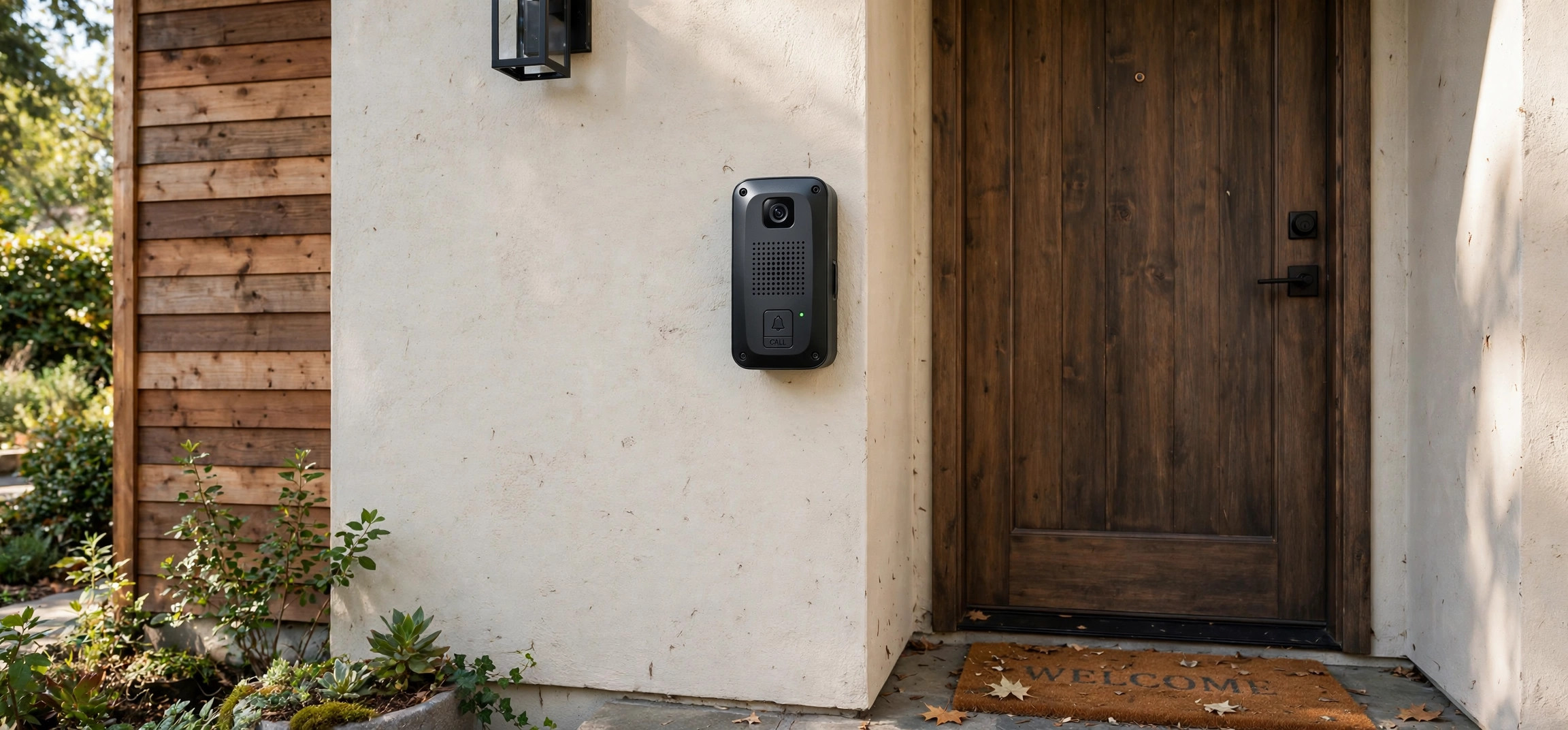
Learning how to install video door phone systems is easier than most people think. A video door phone — also called a video door entry system or video intercom — lets you see and talk to visitors before opening the door, and modern kits have made installation a genuine DIY job. If you can drill a few holes, strip a wire, and follow a diagram, you can finish the whole project in an afternoon. This 2026 guide breaks the job into 3 easy steps, with tools, wiring options, and safety notes.
How to Install Video Door Phone Systems: What You Need First
Before we get into how to install a video door phone step by step, gather the right kit and tools. Most homes need one of two kit types: a wired kit (most reliable, best video quality, requires running a cable from the gate/door to the indoor monitor) or a wireless/Wi-Fi kit (easier install, battery or mains powered, video over your home network). Wired is the better long-term choice if you can run the cable; wireless is perfect for renters or tricky layouts.
Tools and Materials Checklist
- Video door phone kit (outdoor camera unit + indoor monitor + power supply)
- Drill with masonry and wood bits, screwdriver set, spirit level
- Wire strippers, electrical tape, cable clips or conduit
- 2-core cable (typically 0.75–1.0 mm²) for wired kits, or a nearby power outlet for wireless
- Wall plugs and screws, silicone sealant for outdoor cable entries
- Voltage tester / multimeter, pencil and masking tape for marking
- Ladder if the outdoor unit mounts above head height
Safety Notes Before You Start
Always switch off the relevant circuit breaker before touching any mains wiring, and verify with a voltage tester. Most door phone kits run on safe low-voltage DC (12–24 V) from a plug-in adapter, which keeps the risk low — but the adapter itself plugs into mains, so treat that part with respect. Never drill blind into walls: check for hidden pipes and cables with a detector. If your kit requires hardwiring into the mains rather than a plug-in adapter, hire an electrician for that part. Mount the outdoor camera at 1.4–1.6 m height for a natural face-level view, and shelter it from direct driving rain where possible.
How to Install Video Door Phone Kits: The 3 Easy Steps
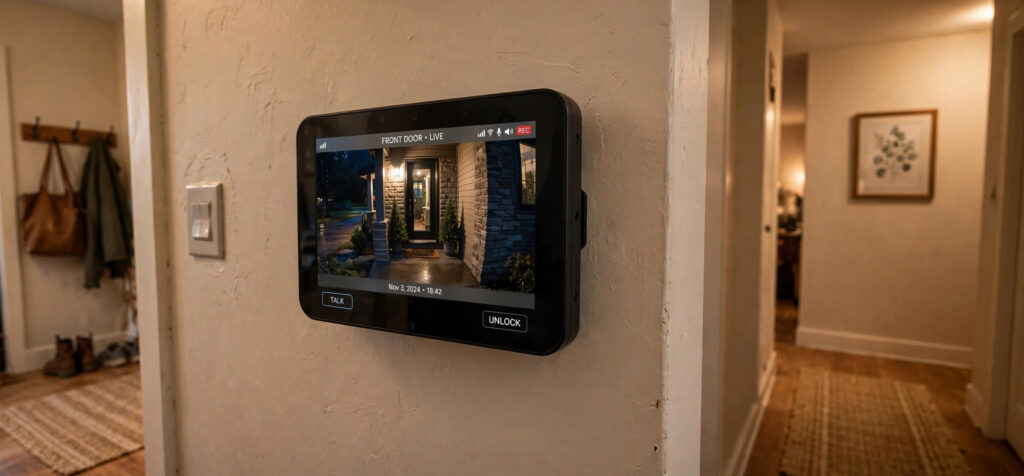
With your kit and tools ready, here is the core of how to install video door phone kits in any home — three straightforward steps that take most DIYers a single relaxed afternoon.
Step 1: Mount the Outdoor Camera Unit
Step one of how to install video door phone systems is the outdoor station — the camera, microphone, speaker, and call button your visitor uses.
- Choose the position. Beside the front door or gate, at 1.4–1.6 m height, angled to capture approaching faces. Avoid pointing the camera directly into the low sun.
- Mark and drill. Hold the mounting bracket level, mark the holes, and drill to suit the wall material (masonry bit for brick/concrete, wood bit for timber). Insert wall plugs.
- Run the cable. For wired kits, route the 2-core cable from this point toward the indoor monitor location — through conduit, along cable clips, or through the wall. Seal any outdoor entry point with silicone.
- Fix the unit. Screw the bracket to the wall, connect the cable to the terminals per the kit diagram (usually labeled for power and signal), then clip the camera unit onto the bracket.
One golden rule for how to install video door phone wiring correctly: take a photo of the wiring diagram in the manual before you start — installers’ most common mistake is mixing up the terminal order.
Step 2: Install the Indoor Monitor
The indoor monitor is the screen (and often the door-release button) you use inside the house.
- Pick the spot. Near the main entrance hallway or in the living area — somewhere you will actually hear the chime. Most monitors mount at eye level, around 1.5 m.
- Mount the bracket. Same drill-and-plug routine as the outdoor unit, on an interior wall close to a power outlet.
- Connect power and signal. Plug in the 12 V adapter, then connect the signal cable from the outdoor unit to the matching terminals. For Wi-Fi kits, skip the signal cable and pair the monitor to your home network following the on-screen wizard instead.
- Hang the monitor. Slot it onto the bracket and neaten the cables with clips or a short length of trunking.
If you want the doorbell to trigger other smart home actions — lights, cameras, notifications — this is a great moment to plan that integration. Our beginner-friendly guide to DIY home automation with Raspberry Pi shows how hobbyists link doorbells, sensors, and lights into one system.
Step 3: Power On, Pair, and Test Everything
The final step of how to install video door phone kits is commissioning: making sure every function works before you call the job done.
- Restore power and switch on the kit. The monitor should boot within a minute.
- Pair wireless components if applicable: put the outdoor unit in pairing mode and confirm it on the monitor, then connect the monitor to your Wi-Fi and install the companion app on your phone.
- Test the call function: press the outdoor call button and confirm the indoor monitor rings, shows live video, and two-way audio works both directions.
- Test the door release (if your kit includes an electric strike): press the unlock button and confirm the latch opens.
- Check night vision: test after dark — the infrared LEDs should give a clear black-and-white image up to the rated distance.
- Adjust settings: chime volume, ringtone, motion-detection zones, and recording preferences.
Troubleshooting Common Issues
- No video, audio works: check the video terminal connections and cable continuity; a single loose core is the usual culprit.
- Wi-Fi unit keeps disconnecting: the outdoor camera may be too far from the router — add a Wi-Fi extender halfway, and keep the camera on the 2.4 GHz band for better range. Securing that connection matters too; our simple explainer on how HTTPS works covers why encrypted connections keep your video feed private.
- Chime too quiet: most monitors have separate day/night volume settings — check both.
- Image washed out in daylight: reposition the camera away from direct sun or enable WDR/backlight compensation in the settings.
How Much Does a Video Door Phone Cost in 2026?
Budget expectations help you shop sensibly. Basic wired kits with a 4-inch monitor start around $60–$100; mid-range 7-inch touchscreen kits with night vision and door release run $120–$220; premium Wi-Fi kits with app control, motion recording, and cloud storage cost $200–$400 plus any subscription. Add $30–$60 for cable, conduit, and fixings if you do not already own them, or $150–$300 for professional installation if you would rather not DIY the wired run. A decent mid-range kit installed yourself typically totals under $250 — a fraction of a professionally installed commercial intercom system, which makes learning how to install video door phone systems yourself one of the best-value home upgrades.
Frequently Asked Questions
How long does it take to install a video door phone?
A wireless kit typically takes 1–2 hours; a wired kit takes 3–5 hours depending on how tricky the cable run is through your walls. Add time if you need to chase cables into walls rather than surface-mounting them.
Can I install a video door phone in a rented home?
Yes — choose a battery-powered wireless kit with adhesive or minimal-screw mounting. You get full video and two-way talk with no drilling into masonry, and you can take it with you when you move.
Do video door phones need Wi-Fi?
Only wireless/smart models need Wi-Fi, and only for app notifications and remote viewing. Traditional wired kits work entirely over their own cable with no network at all — which also makes them immune to Wi-Fi outages.
What is the difference between a video door phone and a video doorbell?
A video door phone (intercom) is a complete entry system with an indoor monitor handset and often an electric door release; a video doorbell is usually just the outdoor camera unit paired with a phone app. Door phones suit houses and small apartment buildings; doorbells suit flats and renters.
Is it legal to record visitors with a door camera?
In most places, yes for your own property entrance, but rules vary: some jurisdictions require a visible notice, and pointing the camera at a neighbor’s property or a public street beyond your entrance can breach privacy laws. Check your local regulations before angling the camera.
Can one indoor monitor work with two outdoor cameras?
Many kits support two outdoor stations (for example, a front gate plus a back door) or an extra indoor monitor for upstairs. Check the kit’s specifications before buying — the feature is usually listed as “2-door” or “multi-monitor” support, and adding it later often means replacing the whole kit.
Conclusion
That is how to install video door phone kits in 3 easy steps: mount the outdoor camera, install the indoor monitor, then power on and test everything. It is a one-afternoon project that permanently upgrades your home’s security and convenience — no more guessing who is at the door. Take your time with the cable run and the terminal wiring, test every function before you tidy up, and enjoy the peace of mind that comes from always knowing exactly who is ringing your bell.