
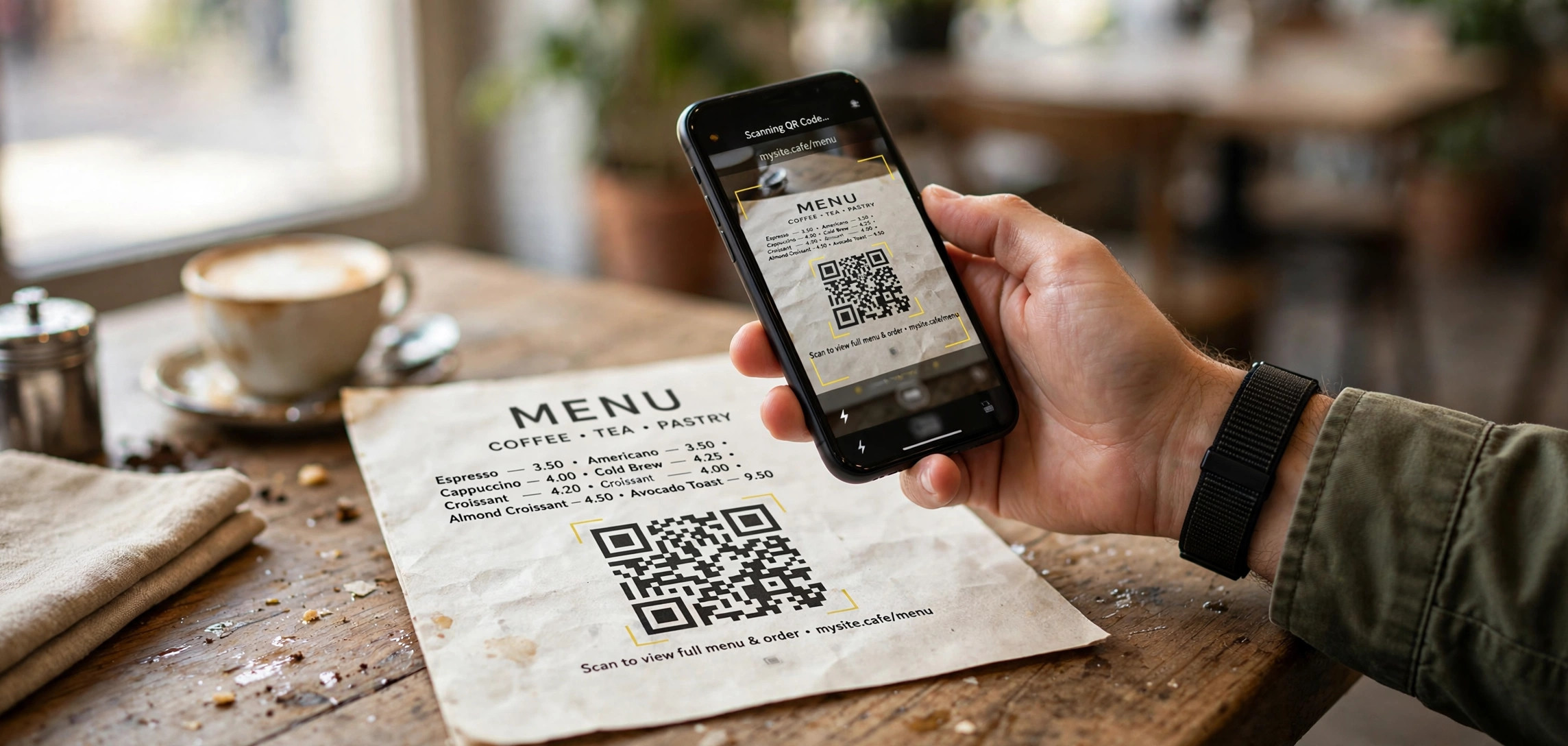
You have seen them on restaurant tables, product boxes, event tickets, and payment apps, but how does a QR code work, really? Beneath that square of black-and-white modules is a clever system of encoding, positioning patterns, and error correction that lets your phone decode a web address in a fraction of a second, even when the code is partly damaged. This guide explains how QR codes work technically, but in plain language: the anatomy of a code, how data is stored, why error correction matters, and exactly what happens between your camera and the browser opening a link.
In This Guide
- What Is a QR Code, Exactly?
- Anatomy of a QR Code: Every Part Explained
- How QR Codes Store Data: Modes and Capacity
- Error Correction: Why Scratched QR Codes Still Work
- How Your Phone Scans a QR Code: The 5-Step Pipeline
- Make Your Own QR Code in Python
- QR Code Security: Risks You Should Know
- Frequently Asked Questions
- Key Takeaways
What Is a QR Code, Exactly?
QR stands for Quick Response. The code was invented in 1994 by Denso Wave, a Japanese company, to track car parts in factories faster than traditional barcodes could. A one-dimensional barcode stores data along a single horizontal axis, which limits how much it can hold. A QR code is a two-dimensional barcode: it stores data both horizontally and vertically across a grid of dark and light squares called modules.
That two-dimensional layout is the whole reason QR codes became universal. A standard QR code can hold up to 7,089 numeric characters or 4,296 alphanumeric characters in a space small enough to print on a business card. Compare that with a classic UPC barcode, which holds around 12 digits. Because phones carry cameras and real computing power, scanning a QR code became something anyone could do in a second, with no special hardware.
Today QR codes link to websites, trigger Wi-Fi joins, open payment apps, store boarding passes, and share contact details. Understanding how QR codes work technically makes you better at using them, generating them correctly, and spotting the security traps that attackers hide inside innocent-looking squares.
Anatomy of a QR Code: Every Part Explained

A QR code is not random noise. Every region has a job. When you understand how QR codes work at the structural level, the pattern stops looking chaotic and starts looking engineered, because it is.
Finder Patterns: The Three Big Squares
The three identical square patterns in the corners are called finder patterns. Each is a 7 by 7 module square with a distinctive concentric design: a dark 7 by 7 border, a light 5 by 5 ring, and a dark 3 by 3 core. Scanners locate these first, because their alternating dark-light-dark pattern is extremely unlikely to occur by accident in a photo. Once the scanner finds all three, it knows the code’s position, size, and rotation, so the phone can read the code at any angle or even upside down.
Timing Patterns and Alignment Patterns
Running between the finder patterns are timing patterns: alternating dark and light modules in a single row and column. They tell the scanner the grid’s density, basically the coordinate system of the code. Larger QR codes also contain smaller alignment patterns, little bullseye squares scattered across the grid, that correct for distortion when the code is printed on a curved or tilted surface.
Quiet Zone: The Invisible Fourth Border
Every valid QR code needs a quiet zone, a margin of light modules at least four modules wide around the entire code. Scanners use this clean border to separate the code from its background. If a designer crops the quiet zone or prints text right up against the code, scans start failing. This is one of the most common reasons a printed QR code does not scan.
Format Information and Version Information
Near the finder patterns, 15 bits of format information encode two critical settings: the error correction level and the mask pattern used on the data. Because this information is so important, it is duplicated in two places and protected with its own error correction. Larger codes (version 7 and above) also carry 18 bits of version information that state the code’s size.
How QR Codes Store Data: Modes and Capacity
So how does a QR code work when it actually stores your URL? The data lives in the remaining modules as a bitstream, encoded in one of four modes chosen to fit the content efficiently.
| Mode | What It Stores | Encoding Density |
|---|---|---|
| Numeric | Digits 0-9 only | 3 digits per 10 bits |
| Alphanumeric | Digits, uppercase A-Z, space, $%*+-./: | 2 characters per 11 bits |
| Byte | Any 8-bit data (UTF-8 text, URLs) | 8 bits per character |
| Kanji | Shift-JIS Japanese characters | 13 bits per character |
The encoder picks the most compact mode. A string of digits uses numeric mode; a URL with lowercase letters uses byte mode. The bitstream begins with a 4-bit mode indicator, followed by a character count indicator whose length depends on the code version, then the encoded data itself.
QR codes come in 40 versions. Version 1 is a 21 by 21 grid; each version adds 4 modules per side, up to version 40 at 177 by 177 modules. Capacity grows with the version and shrinks with the error correction level you choose. At version 40 with the lowest error correction, a code holds 7,089 numeric characters, 4,296 alphanumeric characters, or 2,953 bytes. Most everyday codes are versions 2 to 6, because a short URL simply does not need more space.
Before printing, the raw data is masked with one of eight XOR mask patterns. Masking breaks up large blocks of same-colored modules, which could confuse scanners, and the encoder picks whichever mask produces the most scanner-friendly pattern. This is a detail you never see, but it is part of why QR codes work reliably in messy real-world photos.
Error Correction: Why Scratched QR Codes Still Work
The most impressive part of how QR codes work is error correction. Using Reed-Solomon error correction, the same mathematics used in CDs and DVDs, a QR code can lose a large chunk of its modules and still decode perfectly.
There are four error correction levels, and every QR code picks one:
| Level | Damage It Can Survive | Best For |
|---|---|---|
| L (Low) | Up to 7% of modules | Clean digital displays |
| M (Medium) | Up to 15% of modules | General everyday use |
| Q (Quartile) | Up to 25% of modules | Industrial or outdoor print |
| H (High) | Up to 30% of modules | Dirty environments, logo overlays |
The trade-off is capacity: higher error correction means more modules are spent on redundant correction data and fewer on your actual content. Level H is also what makes those trendy QR codes with a logo in the middle possible, the logo covers part of the data, and the error correction reconstructs it. It works, but keep the logo small and always test-scan the final image on multiple phones before printing thousands of copies.
Reed-Solomon works by splitting the data into blocks and adding mathematical parity codewords. The decoder can recompute missing or corrupted codewords as long as enough of the block survives. This is also why a QR code printed on a crumpled receipt or a faded poster often still scans.
How Your Phone Scans a QR Code: The 5-Step Pipeline
Understanding how QR codes work on the scanning side explains why some codes read instantly and others struggle. Here is the pipeline your phone runs, in roughly a second:
1. Image Capture and Binarization
The camera captures a frame and the scanner software converts it to black and white, deciding a threshold between dark and light modules. Good lighting and contrast make this step trivial; glare or shadows make it guess.
2. Finder Pattern Detection
The software hunts for the finder patterns’ 1:1:3:1:1 dark-light ratio along scan lines. Finding all three tells the app the code’s corners, orientation, and scale.
3. Grid Sampling
Using the finder, timing, and alignment patterns as a map, the scanner samples the center of each module and rebuilds the binary grid, correcting for perspective if the code is photographed at an angle.
4. Unmasking and Error Correction
The mask pattern from the format information is reversed, the bitstream is extracted, and Reed-Solomon correction repairs damaged codewords. This is the step that rescues scratched and dirty codes.
5. Decoding and Action
The mode indicator tells the decoder how to interpret the bits, producing text, a URL, or structured data like a Wi-Fi credential. The phone then shows a preview and asks you before opening the link, which is your last line of defense against malicious codes.
Make Your Own QR Code in Python
Generating a QR code is a few lines of code with the popular qrcode library. This snippet creates a version-auto code with high error correction, which is a good default for printed material:
import qrcode
from qrcode.constants import ERROR_CORRECT_H

qr = qrcode.QRCode(
    version=None,              # auto-size to fit the data
    error_correction=ERROR_CORRECT_H,  # survive up to 30% damage
    box_size=10,               # pixels per module
    border=4,                  # quiet zone, 4 modules minimum
)
qr.add_data("https://geekyneard.com/%22
qr.make(fit=True)

img = qr.make_image(fill_color="black", back_color="white")
img.save("qr-high-correction.png")
Notice the border=4 argument: that is the quiet zone, and generating it correctly saves you from the most common printing mistake. For a quick one-liner without customization, qrcode.make("https://geekyneard.com/%22).save(%22quick-qr.png%22 works too. If you want to understand more about how machines store and verify data, our guide on how blockchain works step by step covers hash-linked structures that share some DNA with QR error correction math.
QR Code Security: Risks You Should Know
QR codes are just data containers, and that neutrality is exactly what attackers exploit. A code can point anywhere, and your eyes cannot read where it goes.
Quishing: QR Code Phishing
Attackers print fake QR codes over real ones, on parking meters, restaurant tables, and package slips, redirecting you to lookalike login pages that steal credentials. This is called quishing. Always check the preview URL your phone shows before tapping through, and be suspicious of codes asking you to log in or pay urgently.
Sticker Swapping in Public Places
A fraudster only needs a sticker and a printer to replace a legitimate payment QR code with their own. Businesses should use tamper-evident placement and check their codes regularly. As a user, if a code looks freshly stuck over another one, do not scan it.
Dynamic QR Codes and Link Rot
Many commercial QR codes are dynamic: the printed pattern points to a redirect service, not the final URL. That lets the owner change the destination later, which is convenient but means the link can be hijacked if the service account is compromised, and it stops working entirely if the service shuts down. For anything that must last years, like a code etched on equipment, use a static QR code with the final URL embedded, ideally an HTTPS address you trust.
Frequently Asked Questions
Do QR codes expire?
Static QR codes never expire; the data is baked into the pattern itself. Dynamic QR codes can stop working if the redirect service behind them is discontinued or the subscription lapses.
How much data can a QR code hold?
At maximum size (version 40, error correction level L), a QR code holds 7,089 numeric characters, 4,296 alphanumeric characters, or 2,953 bytes of binary data. Higher error correction levels reduce capacity.
Why won’t my QR code scan?
The most common causes are a missing or cropped quiet zone, low contrast (never use light-on-light colors), too small a print size for the data density, glare on glossy surfaces, and damage beyond the error correction level. Regenerate at a lower version with less data, or raise the error correction level.
Can a QR code be scanned if part of it is covered?
Yes, up to the limit of its error correction level: 7% at level L, 15% at M, 25% at Q, and 30% at H. Finder patterns matter most, so keep all three corner squares fully visible.
Are QR codes safe to scan?
Scanning itself is safe; the risk is where the code sends you. Preview the URL before opening it, avoid codes that demand logins or payments out of nowhere, and never scan a code that looks pasted over a legitimate one.
What is the difference between a static and a dynamic QR code?
A static code embeds the final destination directly and works forever. A dynamic code embeds a redirect link that can be changed later and tracked, but it depends on a third-party service staying online.
Key Takeaways
- QR codes store data in a two-dimensional grid of modules, holding thousands of characters where a 1D barcode holds a dozen digits.
- Finder patterns, timing patterns, and the quiet zone let scanners locate and map the code at any angle.
- Four encoding modes (numeric, alphanumeric, byte, kanji) pack different content types efficiently across 40 size versions.
- Reed-Solomon error correction rebuilds damaged data, surviving 7% to 30% module loss depending on the level chosen.
- Scanning runs a five-step pipeline: capture, finder detection, grid sampling, error correction, and decoding.
- Preview every URL before opening it; quishing and sticker-swapped codes are the main real-world threats.
Conclusion
So how does a QR code work, in one sentence? It packs your data into a dense module grid, wraps it in positioning patterns and Reed-Solomon error correction, and lets any camera decode it through a fast five-step pipeline. The design is a masterclass in practical engineering: compact, rotation-proof, damage-tolerant, and readable in a second. The next time you scan one to join Wi-Fi or open a menu, you will know exactly what is happening between the camera shutter and the page loading, and you will know to glance at that preview URL before you tap. If you enjoyed this breakdown, you may also like our explainer on what an API is, explained simply, which covers another invisible technology your phone uses hundreds of times a day.