
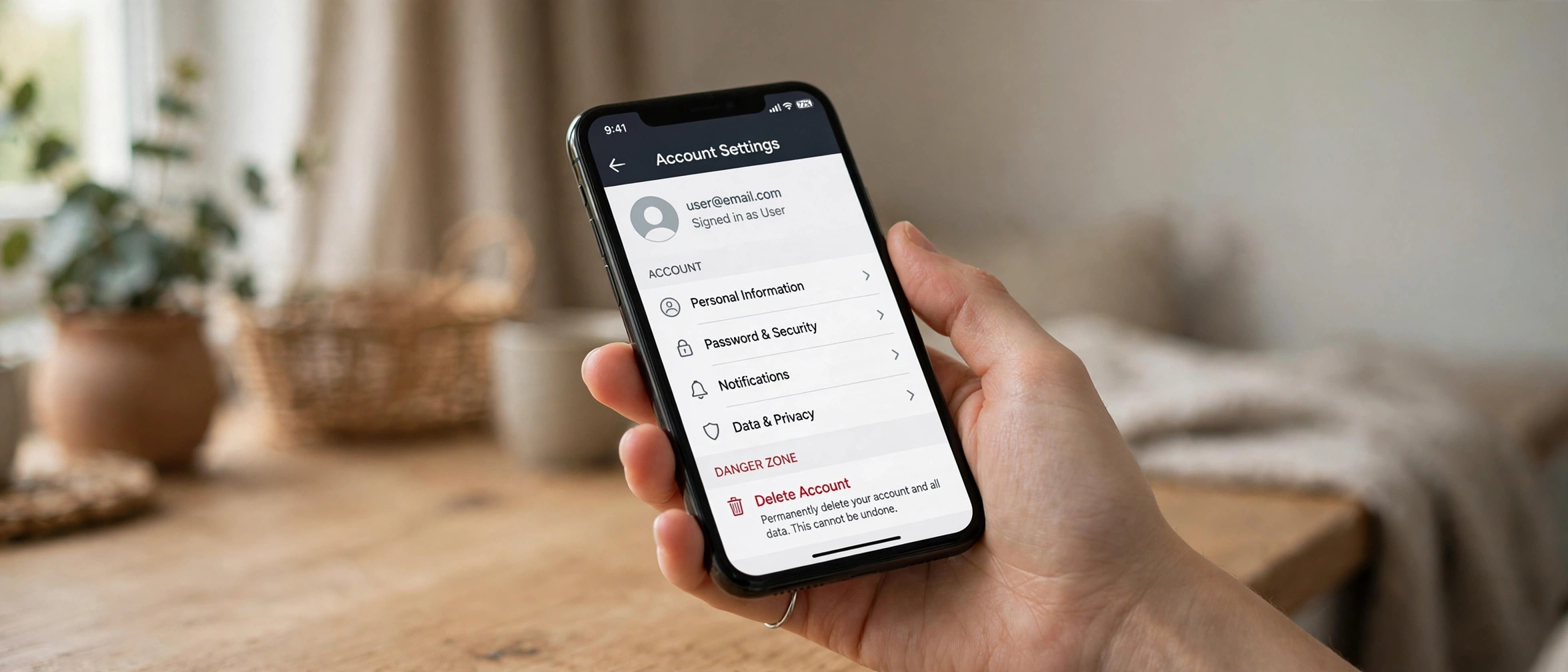
If you want to know how to delete OnlyFans account permanently, the process takes less than five minutes — but deleting in the wrong order can cost you money. Cancel your subscriptions first, withdraw any creator earnings, and back up anything you want to keep. This 2026 guide walks you through every step, the support-email alternative, and the refund rules most people learn too late.
OnlyFans does not make the delete button obvious, and its help pages bury important details about billing and payouts. Follow the order below and you will close your account cleanly with no surprise charges.
Before You Delete: 3 Things to Do First
Skipping this prep work is the number one reason people run into problems. Do these three things before touching the delete button.
1. Cancel All Active Subscriptions
Deleting your account does not automatically cancel recurring subscriptions in every case, and OnlyFans bills subscriptions as non-refundable. Go to your profile icon, then Settings, then Subscriptions, and turn off auto-renew for every creator you follow. Wait for the confirmation on each one. If you are billed for a cycle you already paid for, you keep access until that cycle ends — but you will not be charged again.
2. Withdraw Creator Earnings and Download Your Data
If you are a creator, withdraw your full balance first. OnlyFans requires a minimum payout threshold and verified banking details, so do this at least a few days before deleting — payouts can take several business days to clear. Once the account is gone, recovering funds becomes a support-ticket ordeal.
Also save anything you want to keep: your posted content, messages, and transaction history. Screenshot or download important items now, because account deletion wipes your access to all of it. If you are a creator repurposing content elsewhere — for example, many creators also run YouTube channels — export your media library before you delete.
3. Remove Payment Methods
Head to Settings, then Cards (or your payment section), and remove saved cards. This is belt-and-braces alongside cancelling subscriptions: with no payment method on file, no stray charge can go through.
How to Delete OnlyFans Account: In-App Steps

With the prep done, here is the actual deletion flow as it works in 2026:
- Log in to OnlyFans on a desktop or mobile browser (the app works too, but the full site shows every option).
- Click your profile icon in the top-right corner and select Settings.
- In the Settings menu, open the Account tab.
- Scroll to the bottom of the Account page and click Delete Account.
- Enter your account password, complete the captcha, and select a reason for leaving from the dropdown.
- Click Delete to confirm. OnlyFans will show a final confirmation screen.
That is it. Your profile becomes inaccessible immediately, and OnlyFans begins its internal data-removal process. You will be logged out on all devices.
How to Delete Your OnlyFans Account via Support Email
Cannot log in? Lost access to your email or authenticator? Use the support route instead:
- Email [email protected] from the email address registered to the account.
- Use a clear subject line such as “Request to permanently delete my account.”
- Include your username, the registered email, and a statement that you want the account permanently deleted.
- Support will verify your identity — typically by asking for details only the account holder would know — and then process the deletion.
This route takes longer (expect 2–5 business days), but it works when the in-app flow is unavailable. Keep the ticket number from the auto-reply so you can follow up. OnlyFans’ official help center at onlyfans.com/help documents this process if you want to confirm the current steps.
What Happens After You Delete Your Account?
| Item | What happens |
|---|---|
| Your profile | Immediately inaccessible; username freed up over time |
| Paid subscriptions | Access ends at the close of the current billing cycle; no new charges if cancelled first |
| Creator content | Removed from public view; subscribers lose access |
| Messages | You lose access; copies may persist on the other party’s side |
| Personal data | OnlyFans retains some records for legal/fraud-prevention periods per its privacy policy |
| Reactivation | There is no self-serve “undo” — a deleted account stays deleted |
One nuance worth knowing: “deletion” on OnlyFans removes your account from the platform, but like most services, the company retains certain records (payment history, identity verification documents) for as long as financial and tax regulations require. If full data erasure matters to you, submit a separate data-deletion request citing GDPR or CCPA after the account is closed.
Refunds: What You Need to Know
OnlyFans’ standard policy is that all payments are final and non-refundable — subscriptions, tips, and pay-per-view purchases included. Deleting your account does not trigger a refund for the current billing period. In practice, support occasionally grants exceptions for duplicate charges or clear billing errors, but “I changed my mind” is not grounds for a refund.
This is exactly why step one is cancelling subscriptions before deleting. If you were charged after cancelling, gather screenshots of the cancellation confirmation and contact support — billing errors are the one category where refunds actually happen.
How to Delete OnlyFans Account Without Losing Everything
If you are on the fence, consider the middle-ground options before permanent deletion. You can simply log out and stop using the account — it costs nothing to leave it dormant. Creators can also unpublish content and pause subscriptions while keeping the account shell. But if privacy is the concern, half-measures do not help: a dormant account still holds your data, your verification documents, and your payment details. For a clean break, follow the full deletion flow above — and if you are moving your creative work to other platforms, tools like Canva’s AI image tools can help rebuild your branding from scratch.
Deleting on iPhone, Android, and Desktop: Any Differences?
The core flow is identical everywhere, but the interface quirks differ. On desktop browsers, every option renders reliably — this is the route to use if anything looks missing. On the mobile website (Safari or Chrome on your phone), the Settings menu is collapsed behind the profile icon, and you may need to scroll further to find the Delete Account link at the bottom of the Account tab.
On the iOS and Android apps, the path is Profile icon, then the gear icon, then Account, then Delete Account. One caveat for iPhone users: if you originally subscribed to anything through Apple’s in-app purchase system rather than directly on OnlyFans, manage those subscriptions in your iPhone’s Settings, then Subscriptions first — Apple-billed renewals live outside OnlyFans’ own subscription panel, and deleting the OnlyFans account alone will not stop Apple from billing you. The same applies to Google Play billing on Android. Always check both places.
What to Do If the Delete Button Is Missing
A small number of users report not seeing the Delete Account option. The usual causes and fixes:
- Outdated app: update to the latest version — older builds sometimes hide newer settings pages.
- Creator account with pending payouts: OnlyFans may block deletion while a payout is processing. Wait for the payout to clear, then retry.
- Unresolved verification: accounts stuck mid-identity-verification occasionally lack the option; contact support in that case.
- Browser issues: ad blockers and aggressive privacy extensions can hide settings elements. Try an incognito window or a different browser.
If none of these apply, fall back to the support-email route described above — it bypasses the interface entirely.
Frequently Asked Questions
Can I reactivate my OnlyFans account after deleting it?
No. OnlyFans does not offer a reactivation or grace period for deleted accounts. Once deletion is confirmed, the account is gone permanently. You can always register a brand-new account with the same email later, but your old content, subscribers, and history will not carry over.
Does deleting my OnlyFans account cancel my subscriptions?
You should cancel subscriptions manually first. While account deletion typically stops future access, OnlyFans’ billing is handled per subscription cycle, and support documentation advises cancelling auto-renew before deleting to guarantee no further charges. Do it in Settings, then Subscriptions, before you delete.
How long does OnlyFans keep my data after deletion?
Your profile and content are removed promptly, but OnlyFans retains certain records — payment history, tax documents, and identity verification — for periods required by law (often several years). For maximum erasure, file a separate privacy/data-deletion request after closing the account.
Can I delete my OnlyFans account from the mobile app?
Yes. The delete option lives under Settings, then Account, in both the app and the mobile site. If the option does not appear, update the app or use a desktop browser, where the full settings page always renders.
Will the creators I subscribed to know I deleted my account?
They will see that your subscription ended, as they would with any cancellation. Your username will show as deleted in their subscriber lists. They do not receive a special notification that you deleted your entire account.
Is there a difference between deactivating and deleting?
OnlyFans effectively offers one path: permanent deletion through the Account settings. There is no separate “deactivate temporarily” toggle. If you want a break without losing everything, simply log out and leave the account idle instead.
Conclusion
Knowing how to delete OnlyFans account permanently is straightforward once you respect the order of operations: cancel subscriptions, withdraw creator funds, back up your data, remove payment methods — then delete through Settings, Account, Delete Account, or via support email if you cannot log in. Do the prep, and the whole process takes minutes with no billing surprises afterward.